Client Guide
How to use the app: your code, the market, your wishlist, booking a visit, and the shared tablets at the centre.
Three ways to use the app
You can reach the programme in three ways. They are all the same account.
- Your own phone — sign in with your email or phone number and your password. This is where you see your own code, your wishlist and your appointments.
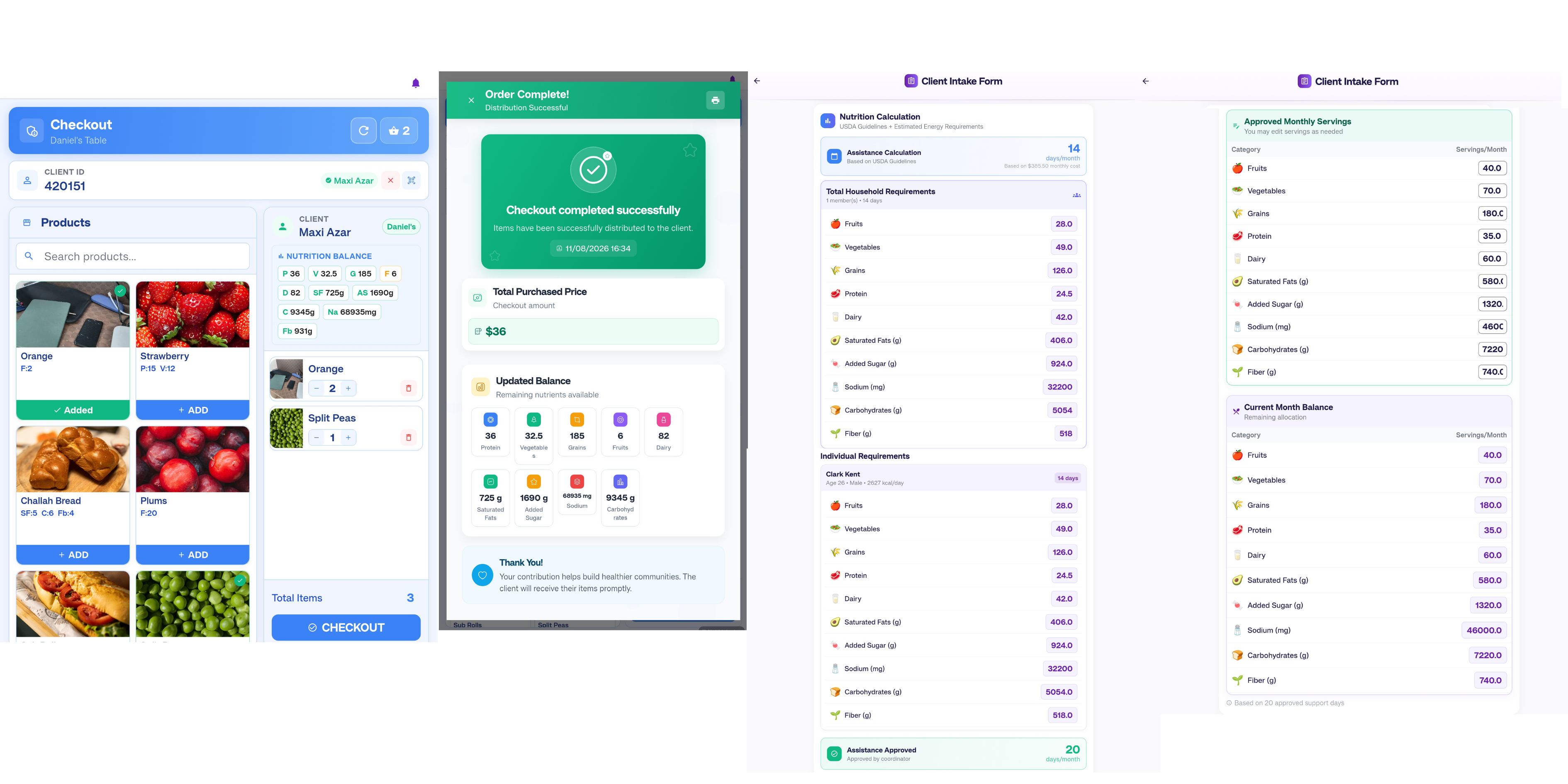
- The market tablet at the centre — a shared device used while you shop. A volunteer helps you with it.
- The intake tablet — a shared device for filling in your intake form, including your household details.
The shared tablets are used by many people. Nothing personal stays on them after you finish.
Signing in
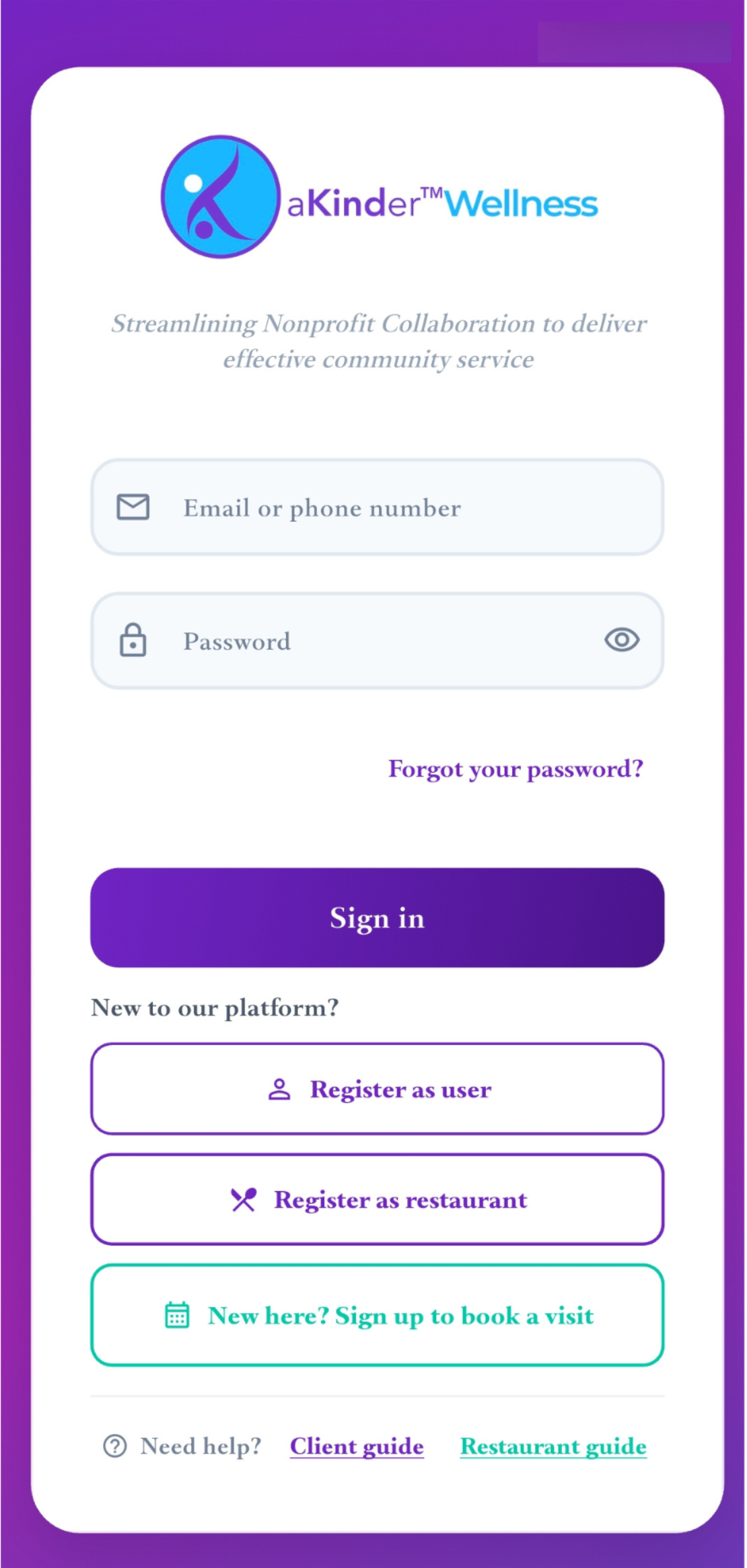
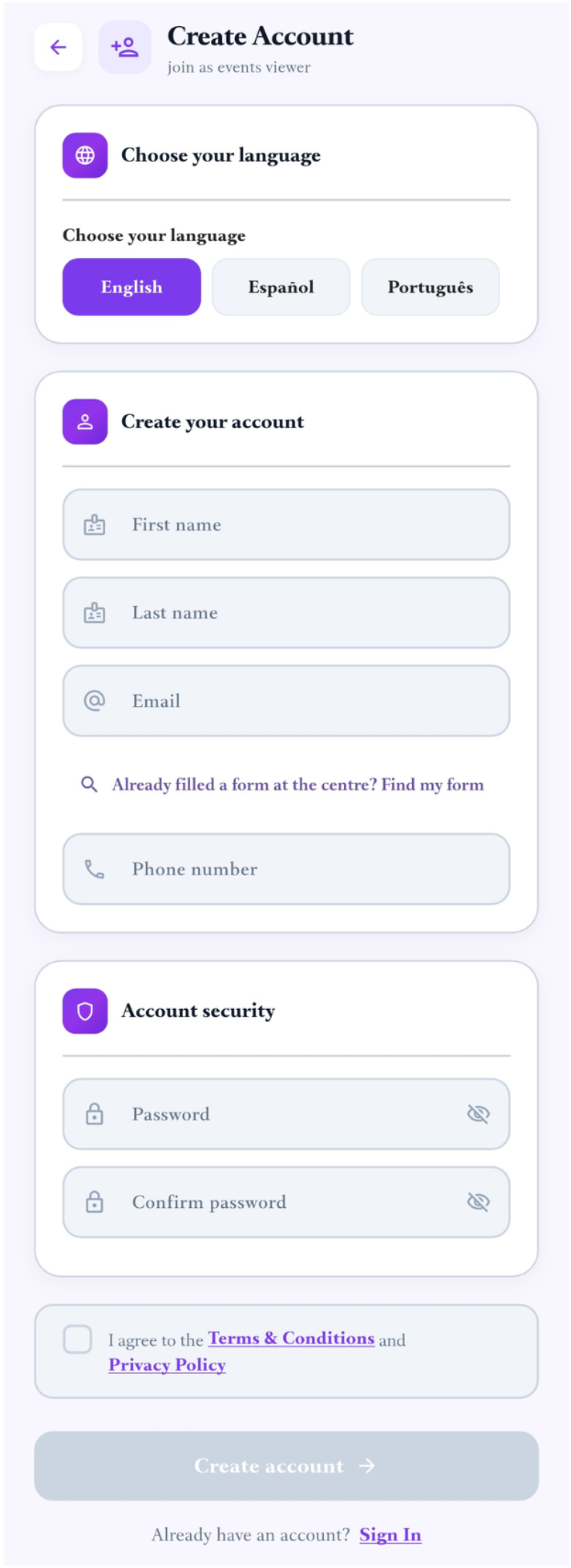
Sign in with the email address or phone number you registered, and your password.
If you have forgotten your password, choose Forgot password and follow the link sent to you.
Choosing your language
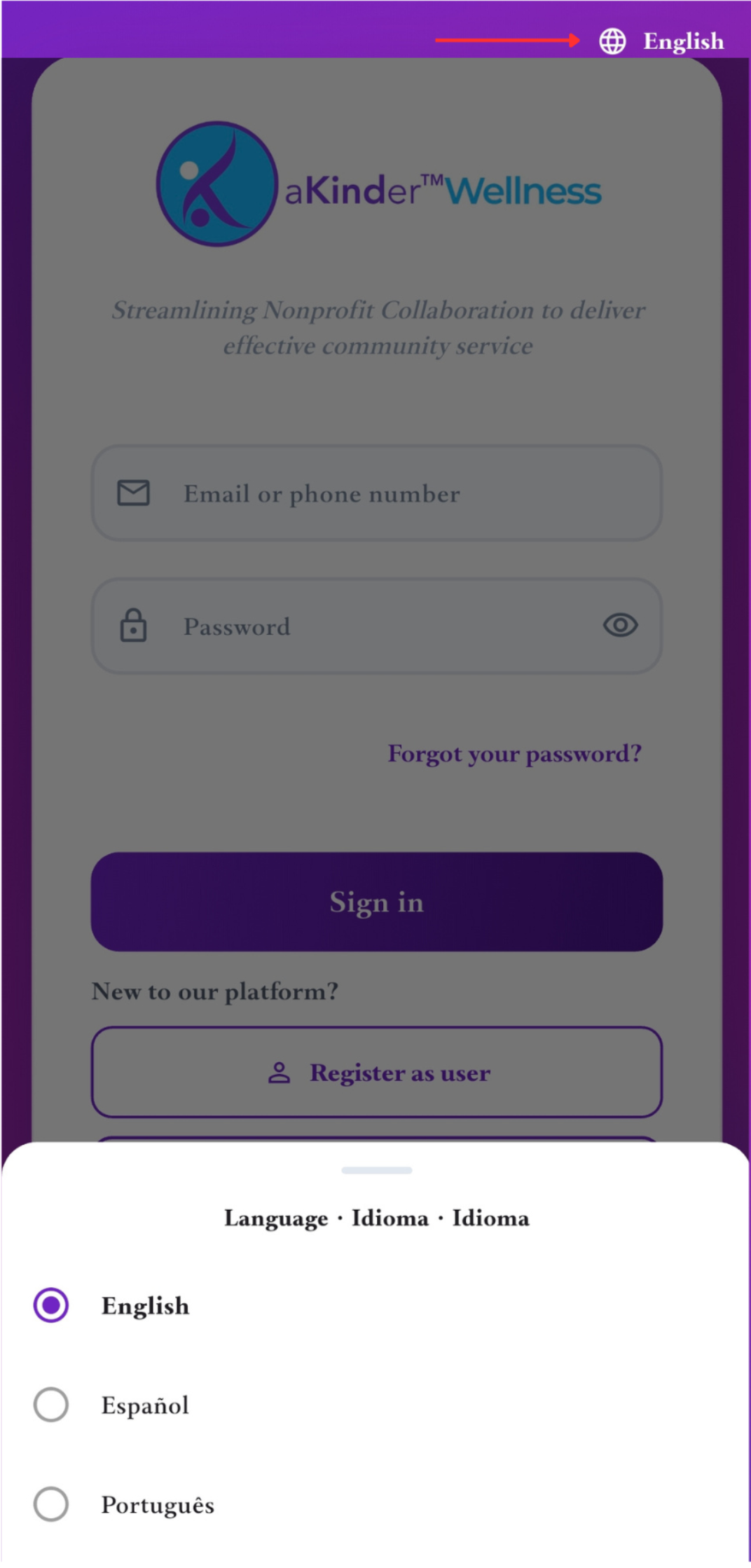
The app is available in English, Spanish and Portuguese. You are asked to choose the first time you open it, before you sign in — so you never have to read a language you do not know in order to find the setting.
You can change it at any time from the language button at the top of the screen.
Your home screen
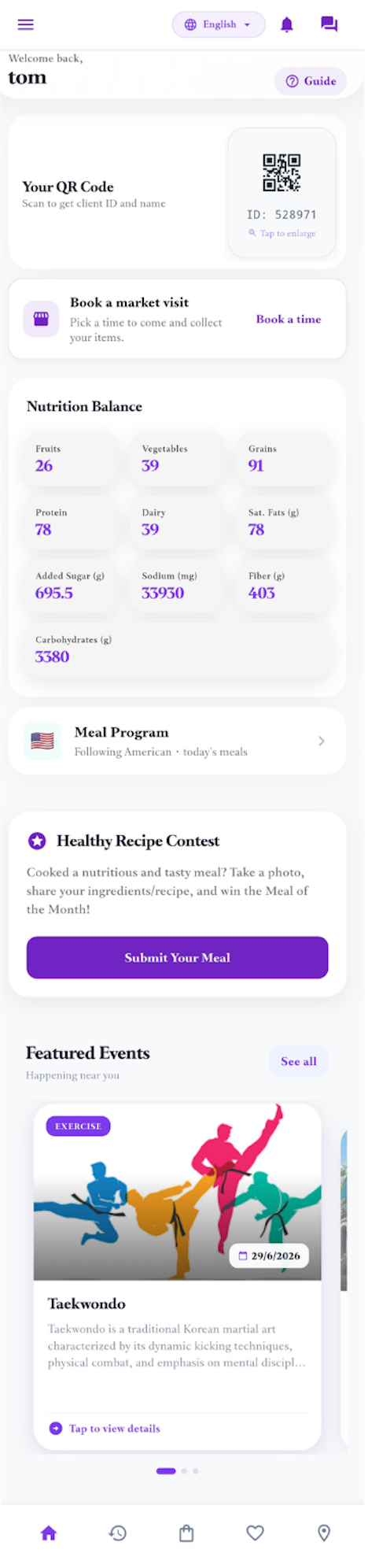
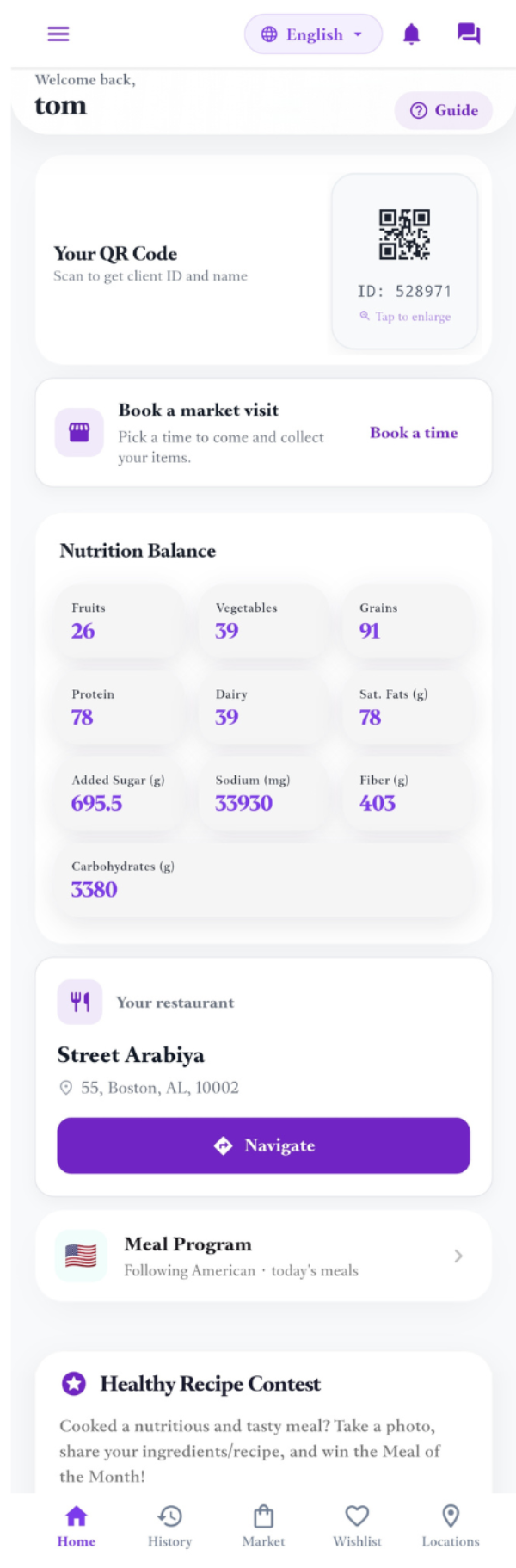
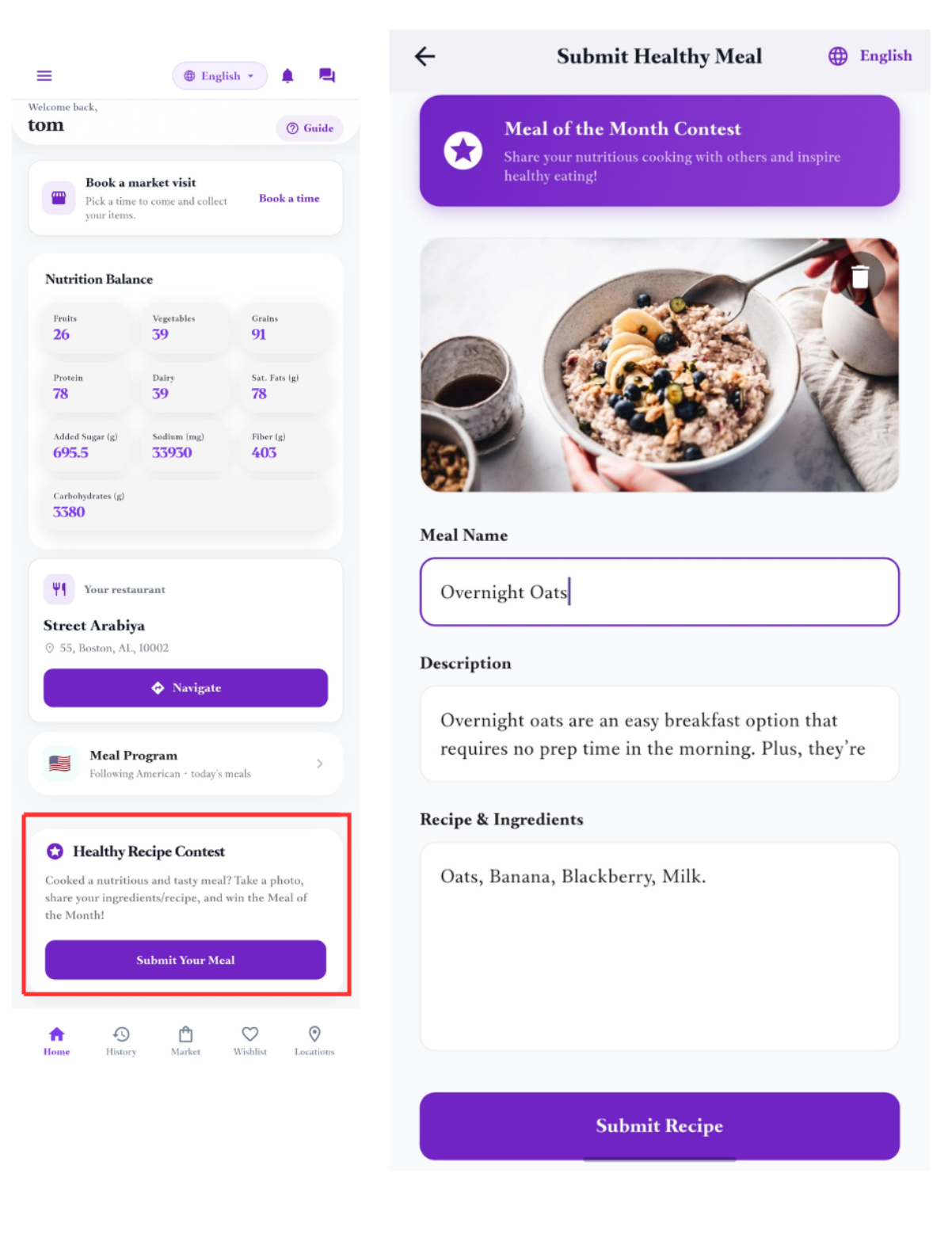
Your home screen shows your code, your nutrition balance for the month, and anything waiting for you.
Show your code at the centre or at a partner restaurant. It is how staff find your record — you do not need to remember a number.
The market
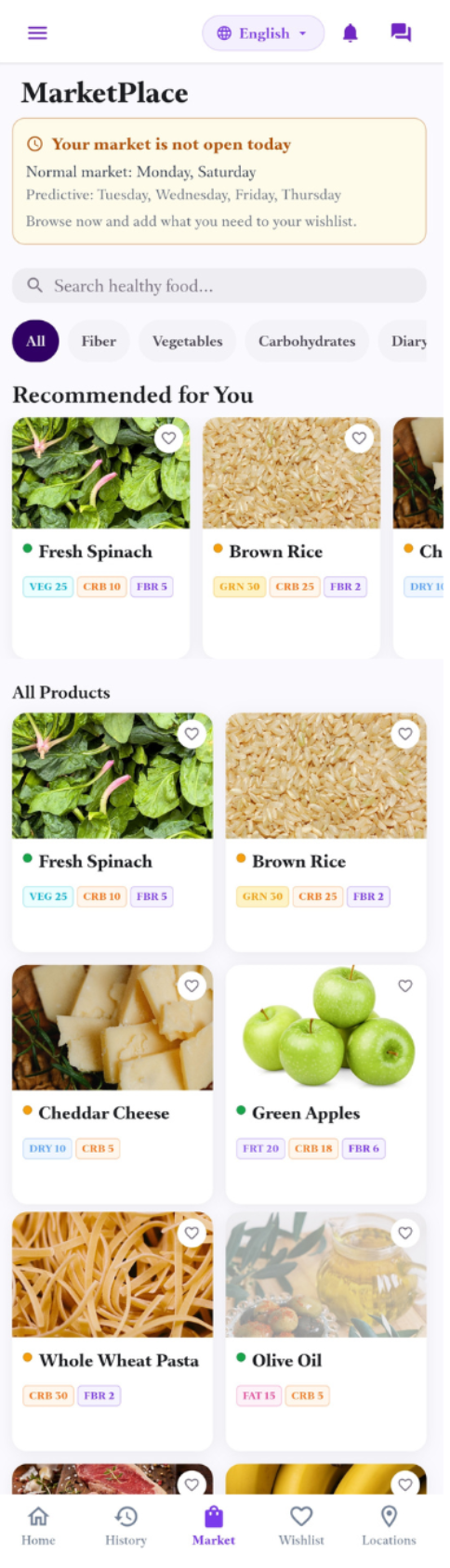
The market lists everything available. You can browse it any day, whether or not the market is open to you today.
A banner at the top tells you whether your market is open today and which days it runs. Markets run on set days, and you belong to one of them.
A coloured dot next to each item is the programme’s nutrition guide: green is the healthiest choice, then yellow, then red.
Your wishlist
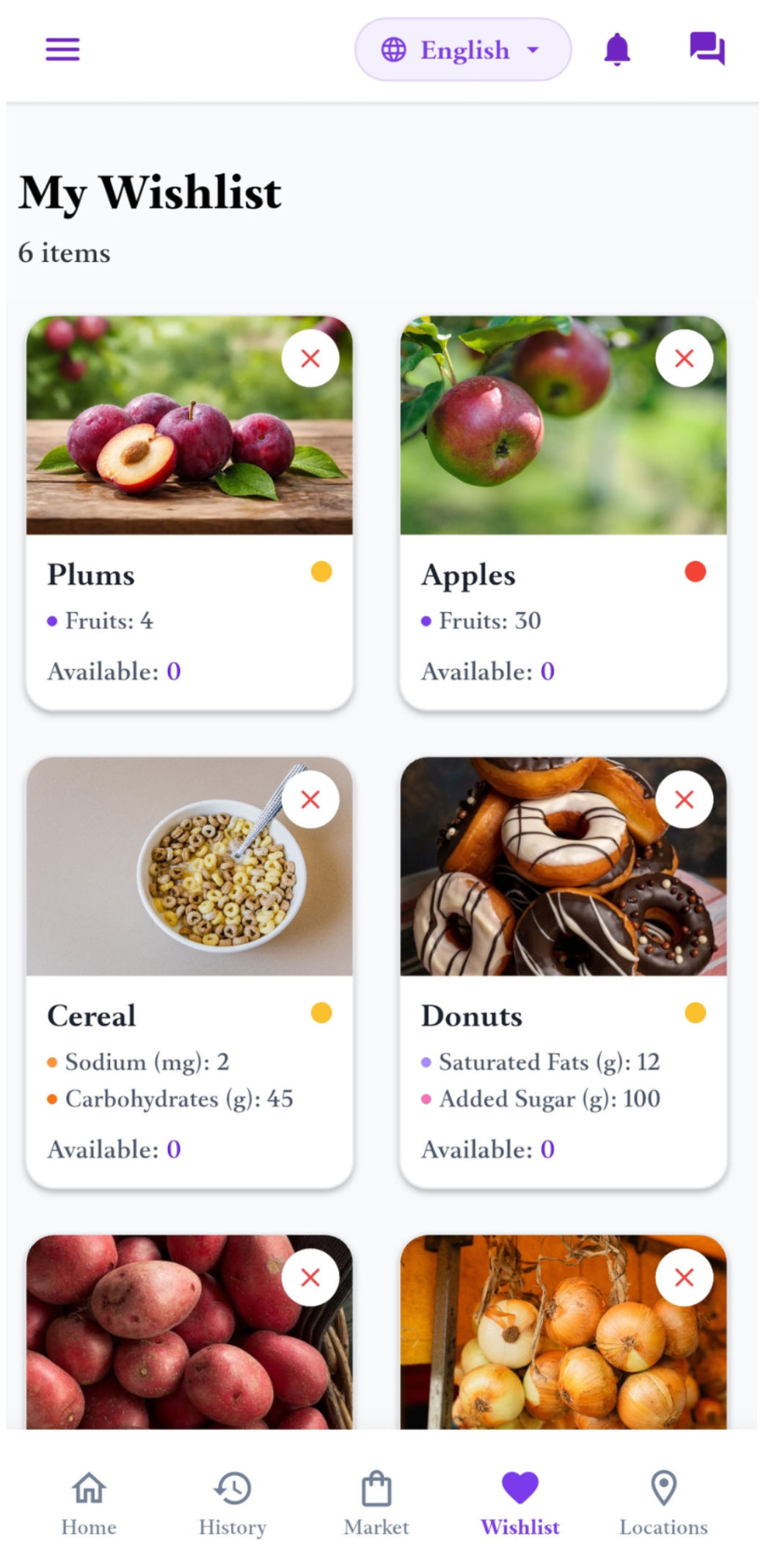
Add items you would like to your wishlist. Staff work from it when they prepare your order — you do not pay for anything in the app.
If an item is not available on the day, it will show as unavailable. Adding it early does not reserve it.
Booking a visit
You can book a time to come in. There are three kinds of visit, and you will only be offered the ones that apply to you.
The three kinds are:
- Market visit — a time to come and collect your items, on one of your market’s days.
- Health check-in — offered when your next check-in falls due.
- Intake — your first visit, for new clients before they are in the programme.
You can hold one booking of each kind at a time. Once a visit is finished or cancelled, you can book another.
Your restaurant
When a restaurant is assigned to you, it appears on your home screen with its name and address.
The Navigate button opens the restaurant in Google Maps so you can get directions. Show your code when you arrive — you do not pay the restaurant.
Meal of the Month
Cooked something you are proud of? Send in the photo and recipe. Each month one client recipe is chosen as the Meal of the Month and shown to everyone.
The shared tablets
Two shared tablets sit at the centre. A volunteer will help you with either.
- The market tablet is used while you shop — it finds your record from your code.
- The intake tablet is for your intake form: your household, your situation, and the health questions. Take your time; a volunteer can read the questions to you in your language.
Both tablets are shared. Your session ends when you finish, and the next person cannot see your answers.